Deploy a lab PostgreSQL instance in namespace db-tests, configure the database secrets engine to generate short-lived credentials, and verify readonly vs readwrite access. Uses in-cluster DNS (postgresql.db-tests.svc.cluster.local) from OpenBao pods.
Prerequisites checklist
Confirm these before running steps:
- TC-OPENBAO-OCP-001Enable TLS end-to-end on OpenBao (OpenShift)
- Cluster can pull
postgres:16-alpine(or adjust the image in the Commands / YAML tab)
1Deploy lab PostgreSQL (full manifest in the Commands / YAML tab) or use an existing one:
→ This will create: Namespace db-tests, Secret for credentials, ConfigMap for initial configuration, a Service and a Deployment.
2Wait for the deployment to be available
oc wait --for=condition=Available deployment/postgresql -n db-tests --timeout=180s→ Deployment Available
3Enable the database secrets engine
bao secrets enable database→ Success! Enabled the database secrets engine at: database/
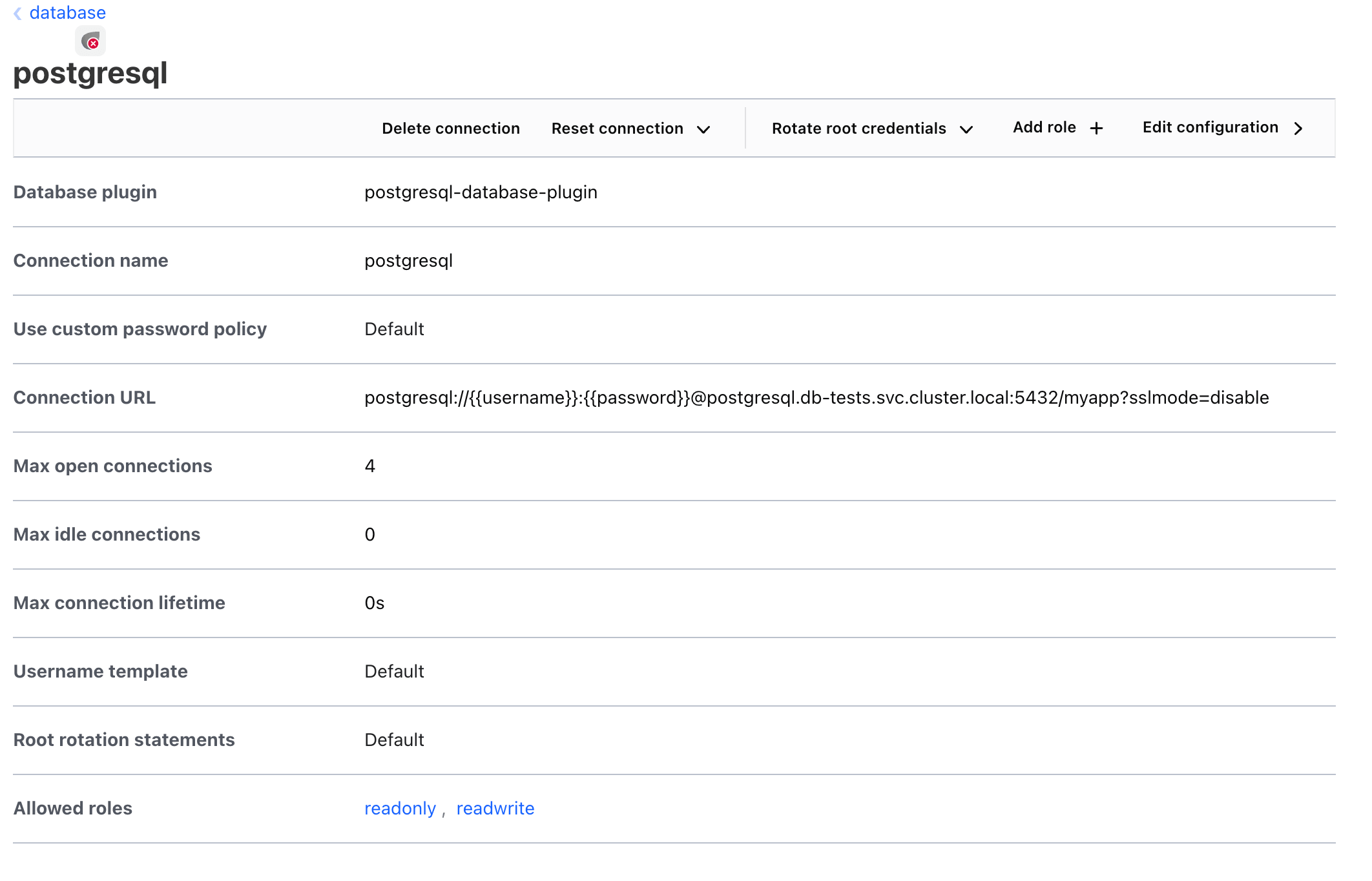
4Configure the PostgreSQL connection (in-cluster, no TLS for lab)
bao write database/config/postgresql plugin_name=postgresql-database-plugin allowed_roles=readonly,readwrite connection_url='postgresql://{{username}}:{{password}}@postgresql.db-tests.svc.cluster.local:5432/myapp?sslmode=disable' username=bao_admin password=adminP@ss→ Success! Data written to: database/config/postgresql
Verify in the UI
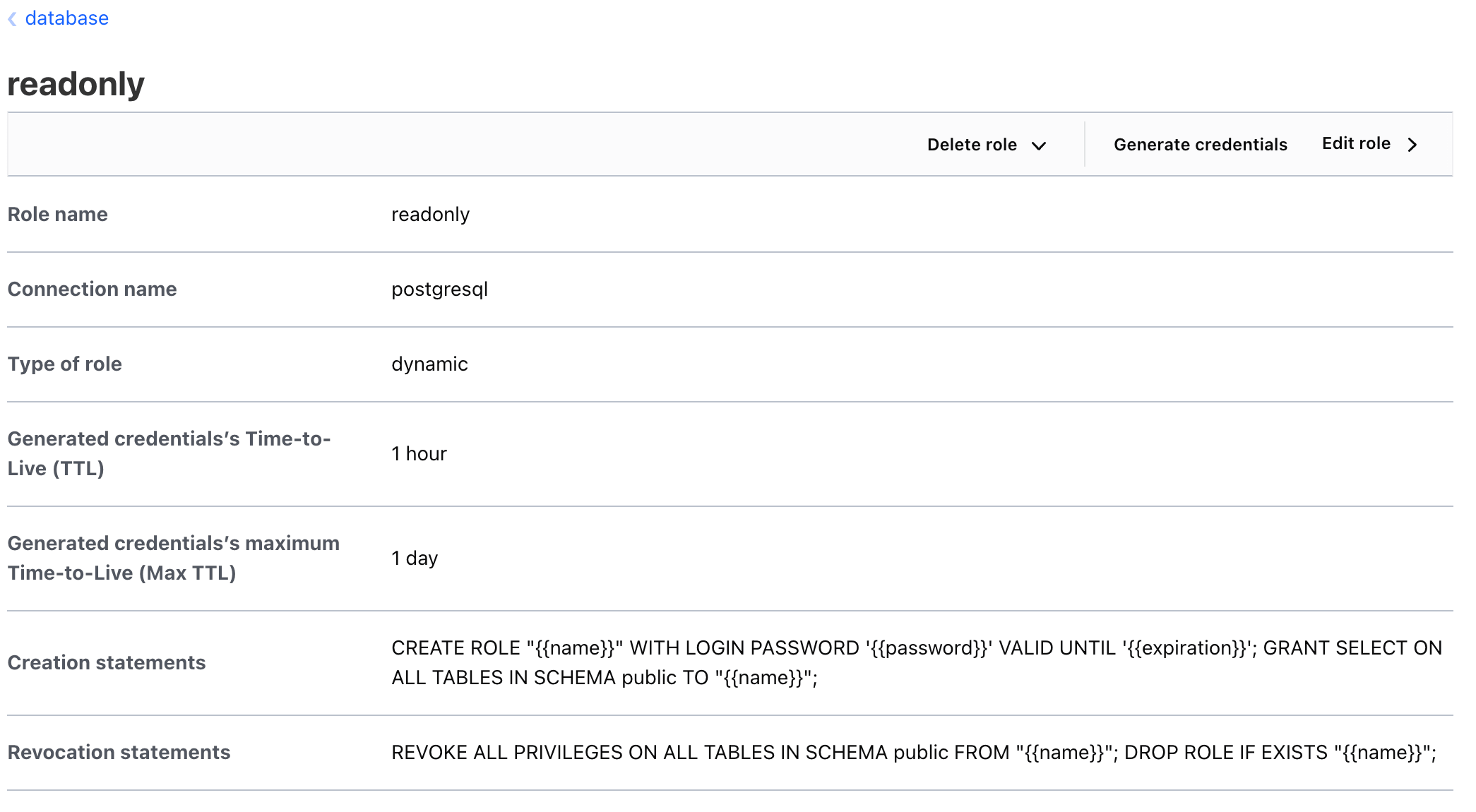
5Create a readonly role with 1-hour TTL
bao write database/roles/readonly db_name=postgresql creation_statements="CREATE ROLE \"{{name}}\" WITH LOGIN PASSWORD '{{password}}' VALID UNTIL '{{expiration}}'; GRANT SELECT ON ALL TABLES IN SCHEMA public TO \"{{name}}\";" revocation_statements="REVOKE ALL PRIVILEGES ON ALL TABLES IN SCHEMA public FROM \"{{name}}\"; DROP ROLE IF EXISTS \"{{name}}\";" default_ttl=1h max_ttl=24h→ Success! Data written to: database/roles/readonly
Verify in the UI
6Create a readwrite role with 4-hour TTL
bao write database/roles/readwrite db_name=postgresql creation_statements="CREATE ROLE \"{{name}}\" WITH LOGIN PASSWORD '{{password}}' VALID UNTIL '{{expiration}}'; GRANT ALL PRIVILEGES ON ALL TABLES IN SCHEMA public TO \"{{name}}\";" default_ttl=4h max_ttl=24h→ Success! Data written to: database/roles/readwrite
7Request dynamic credentials
bao read database/creds/readonly→ Returns unique
username and password with lease duration8Test the dynamic credentials via oc exec into the PostgreSQL pod (see the Commands / YAML tab):
→
SELECT current_user shows the dynamic role; SELECT * FROM demo succeeds→
INSERT INTO demo ... fails with permission denied for readonly creds9Rotate the root credentials stored in OpenBao
bao write -f database/rotate-root/postgresql→ Root password rotated in PostgreSQL and updated in OpenBao config