Enable the KV version 2 secrets engine, write and read secrets, use versioning, and perform soft delete and undelete operations. CLI steps are required for validation; an optional Verify in UI block confirms the same data in the OpenBao web UI after TC-OPENBAO-OCP-001. Follows OpenBao Part 8 — Secrets Engines KV.
Prerequisites checklist
Confirm these before running steps:
1Set up local CLI access and verify cluster
To do so, we will now use port-forwarding and use the local
bao command instead of oc execoc port-forward openbao-0 8200:8200 -n openbao &export BAO_ADDR='https://127.0.0.1:8200'export BAO_CACERT="$PWD/openbao-ca.crt"Log in to OpenBao using the root token
export BAO_TOKEN=$(jq -r '.root_token' openbao-init.json)2Verify cluster is healthy
bao status→ Cluster is healthy
3Verify enabled engines
bao secrets list# This will return by default the following engines:
Path Type Accessor Description
---- ---- -------- -----------
cubbyhole/ cubbyhole cubbyhole_0e7556ee per-token private secret storage
identity/ identity identity_f87bdbf5 identity store
sys/ system system_dd2b50d0 system endpoints used for control, policy and debugging4CLI — enable KV v2
bao secrets enable -version=2 -path=secret -description="Application secrets" kv→ Engine mounted at
secret/ with version 25CLI — write and read
bao kv put secret/myapp/config db_host=pghost.example.com db_port=5432 db_name=myappbao kv get secret/myapp/config#====== Secret Path ======
secret/data/myapp/config
====== Metadata ======
Key Value
--- -----
created_time 2026-07-14T15:52:01.907838454Z
custom_metadata <nil>
deletion_time n/a
destroyed false
version 1
====== Data ======
Key Value
--- -----
db_host pghost.example.com
db_name myapp
db_port 54326CLI — versioning
Let's write a new version of the secret. We will change the
db_hostbao kv put secret/myapp/config db_host=pghost2.example.com db_port=5432 db_name=myappbao kv get secret/myapp/config#====== Secret Path ======
secret/data/myapp/config
====== Data ======
Key Value
--- -----
db_host pghost2.example.com # < Updated value
db_name myapp
db_port 54327CLI — get specific version
bao kv get -version=1 secret/myapp/config→ Will show version 1 of the secret with db_host=pghost.example.com
8CLI — soft delete, undelete, destroy
Delete specific version (soft delete)
bao kv delete -versions=2 secret/myapp/configUndelete a version (restore deleted version)
bao kv undelete -versions=2 secret/myapp/configPermanently destroy a version
bao kv destroy -versions=1 secret/myapp/config9Verify in UI (optional) — after CLI steps above
Open the OpenBao Route from OCP-001, e.g.
https://openbao.apps.<cluster-domain>/Sign in with the root token (Method: Token)
Secrets Engines → confirm secret/ KV v2 mount is listed
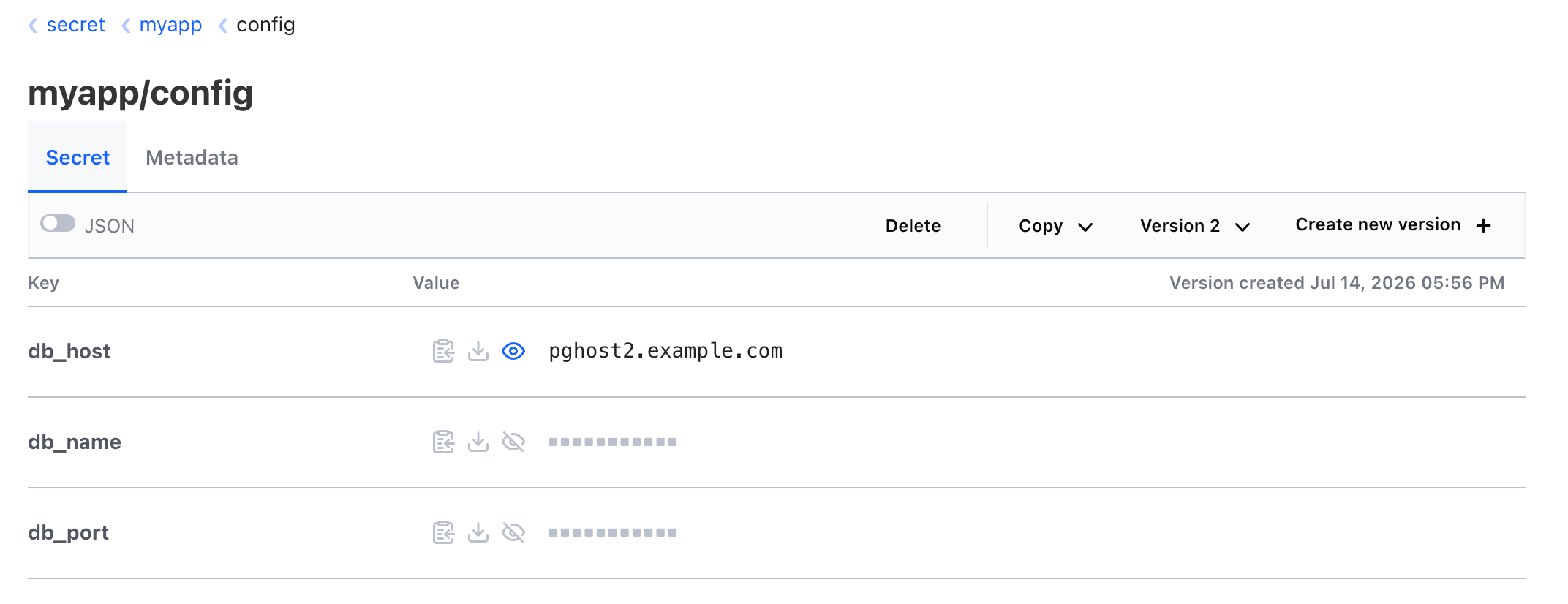
Navigate secret → myapp → config
→ Secret data matches latest CLI write (
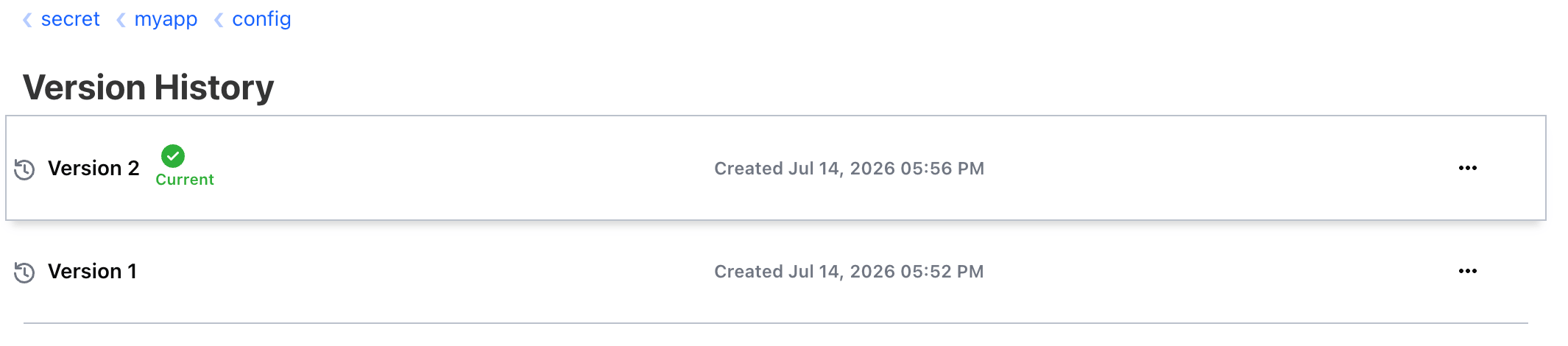
db_host=pghost2.example.com, …)Open Version History (or version selector) → confirm version 2 is current