Format:
Export:

Test cases(26 of 50)

Show
Priority
Category
0/26 completed0%

Complete the OpenBao prerequisites before running these tests. Go to prerequisites

Enable TLS end-to-end on OpenBao (OpenShift)
Manual init and unseal — loop script (Approach 1)
Seal migration — Shamir to Transit auto-unseal
Seal migration — Shamir to AWS KMS auto-unseal

Requires AWS KMS, IAM permissions, and credentials. Independent of transit auto-unseal (UNSEAL-002).

Enable and Use KV v2 Secrets Engine
KV v2 Metadata and Custom Metadata

Configure KV v2 metadata settings including max_versions and cas_required (check-and-set), and attach custom metadata for compliance tagging, ownership tracking, and secret classification purposes.

Prerequisites checklist

Confirm these before running steps:

1Set metadata configuration for a secret path
bao kv metadata put -max-versions=10 -cas-required=true secret/myapp/config
2Read metadata for the secret
bao kv metadata get secret/myapp/config
======= Metadata Path =======
secret/metadata/myapp/config

============ Metadata ============
Key                         Value
---                         -----
cas_required                true
created_time                2026-07-14T15:52:01.907838454Z
current_metadata_version    1
current_version             2
custom_metadata             <nil>
delete_version_after        0s
max_versions                10
metadata_cas_required       false
oldest_version              0
updated_time                2026-07-15T10:10:23.297747286Z
→ max_versions: 10, cas_required: true, current_version: 2
3Write a secret with CAS (check-and-set) enforcement
bao kv put -cas=2 secret/myapp/config db_host=pghost.example.com
======= Metadata =======
Key                Value
---                -----
created_time       2026-07-15T10:16:18.255311888Z
custom_metadata    <nil>
deletion_time      n/a
destroyed          false
version            3
→ Version change to: current_version: 3
4Attempt to overwrite without correct CAS value (should fail)
bao kv put -cas=0 secret/myapp/config db_host=new-host.example.com
→ Expected error: check-and-set parameter did not match the current version
5Write with correct CAS value
bao kv put -cas=3 secret/myapp/config db_host=new-host.example.com
Use the current version
6Add custom metadata for compliance tagging
bao kv metadata put -custom-metadata=owner=syseng-team -custom-metadata=classification=confidential -custom-metadata=compliance=pci-dss secret/myapp/config
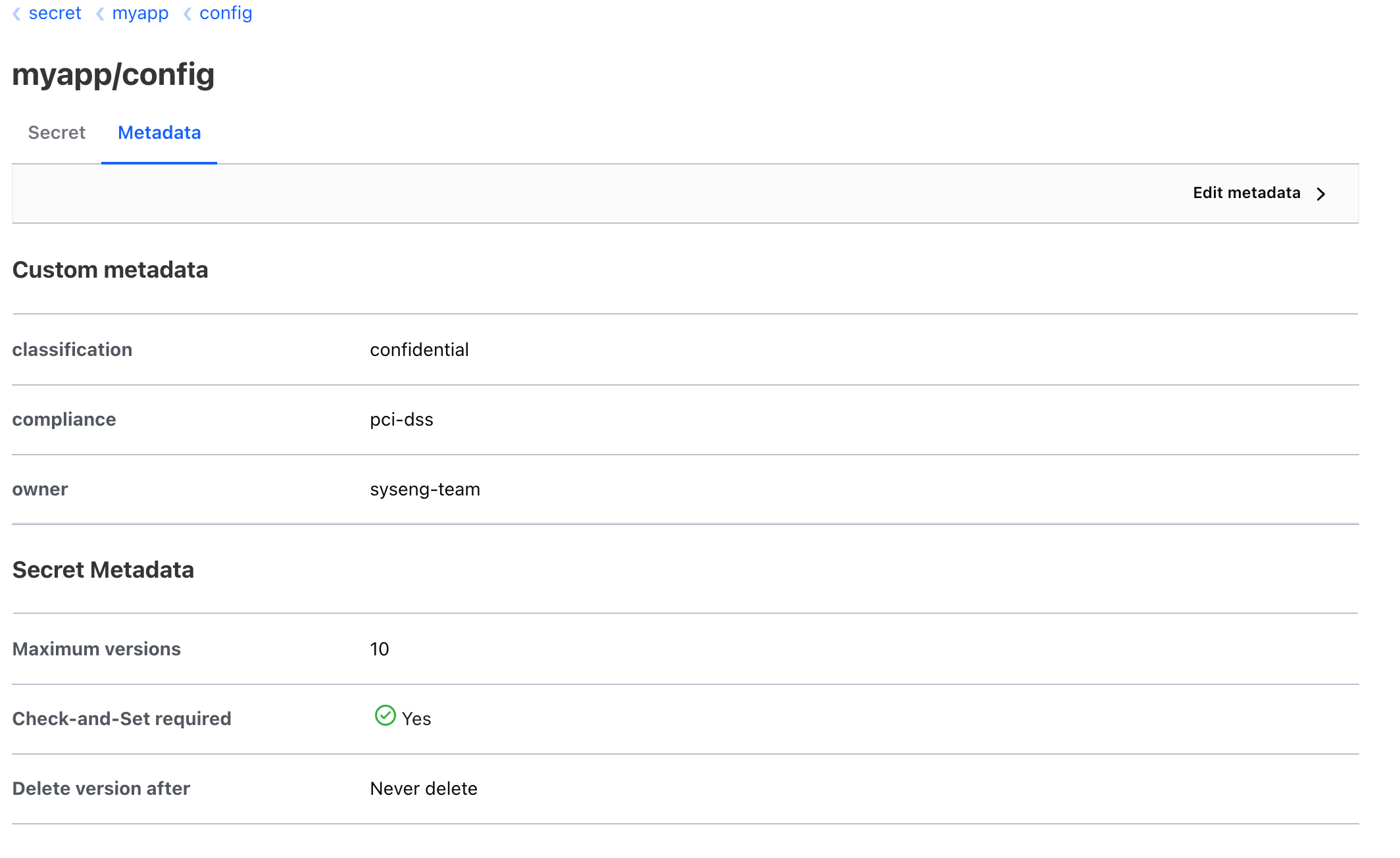
7Verify custom metadata is attached
bao kv metadata get secret/myapp/config
# snippet of metadata
============ Metadata ============
Key                         Value
---                         -----
...
current_version             4
custom_metadata             map[classification:confidential compliance:pci-dss owner:syseng-team]
...
8Verify in UI (optional)
OpenBao UI — secret/myapp/config Metadata
KV Secret Rotation Pattern with CAS
Configure PKI Engine as Internal CA
Auto-Rotate TLS Certificates with cert-manager
Cross-Sign External CA with OpenBao PKI
Dynamic PostgreSQL Credentials
Dynamic MySQL/MariaDB Credentials
Kubernetes Auth Method
OIDC Authentication with Keycloak/DEX
Raft Cluster Operations
Raft Snapshot and Restore
Full OpenBao Backup Strategy
Disaster Recovery Restore
TLS Certificates for OpenShift Routes via PKI
Dynamic PostgreSQL Credentials for Applications
Multi-Tenant Secret Isolation
Encryption as a Service - Transit Encryption for Application Data
External Secrets Operator with OpenBao
CSI Secrets Store Driver with OpenBao
OpenBao Agent Sidecar Injector
Sealed Secrets Migration to OpenBao

Search test plan

Type at least 2 characters to search

Keyboard shortcuts

P
Go to prerequisites
T
Go to test cases
G
Go to glossary
D
Go to diagrams
J
Next card
K
Previous card
Enter
Open / close focused card
/
Open search
CtrlK
Open search modal
?
Show shortcuts
Esc
Close panel / blur search
/ open searchJ/K next / previous card? keyboard shortcutsEsc close panels